
Blossom Word Search
Vento GamesWord
4.9165.00 Reviews
- Version
- 1.8.2
- Installs
- 100.00K
- Age Rating
- Everyone
Screenshots

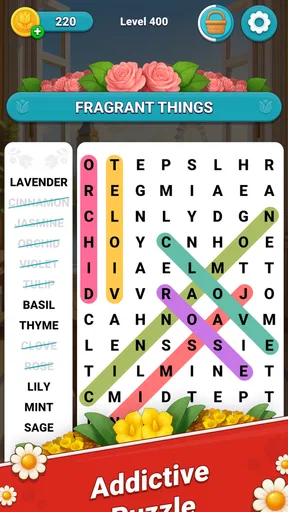

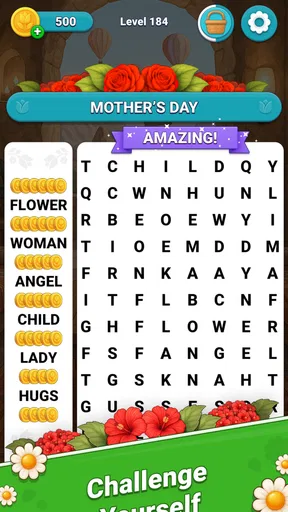
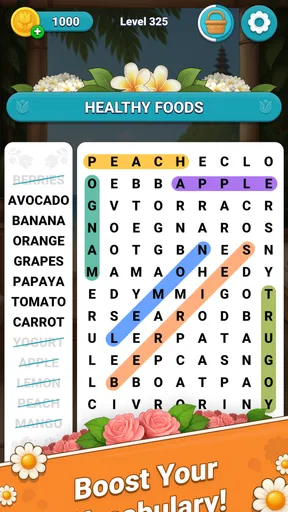
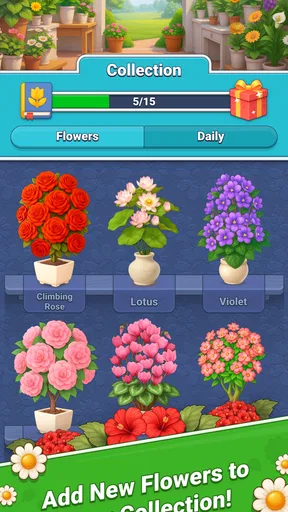
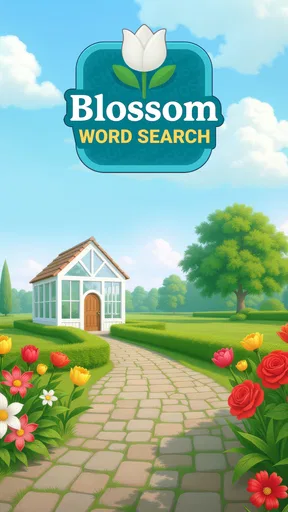
Our Review of Blossom Word Search
 Analysis by Appyee
I approached Blossom Word Search expecting a quiet word game for short breaks, and that is exactly where it fits best. It is a free word puzzle from Vento Games, built around finding words while a floral theme gradually gives the activity a softer, more relaxed feel. The idea is simple enough to understand immediately, but the pleasure comes from slowing down, scanning carefully, and noticing patterns that are easy to miss at first glance.
That simplicity is also the most important thing to understand before downloading it. This is not a story-driven adventure, a competitive vocabulary test, or a feature-heavy brain-training suite. I see it as a focused word-search experience for people who want a low-pressure puzzle they can pick up without preparation. If you like traditional word searches but prefer a gentler presentation, this is a particularly approachable choice.
How the everyday puzzle routine feels
My usual way of playing is to begin with a quick scan rather than dragging around randomly. I look for unusual letters, repeated combinations, and words that might run diagonally or in reverse. That small habit makes the board feel less cluttered and turns each puzzle into a visual search instead of a guessing exercise. Once I find one word, the remaining letters often become easier to read because my eyes have adjusted to the board.
The floral presentation helps create a calmer rhythm than the plain grids found in many traditional word-search apps. I would not call it a dramatic transformation of the genre, but it gives the sessions a recognizable personality. The game’s store summary describes a relaxing discovery experience, and in practice I found that description more useful as a guide to its mood than as a promise of a particular challenge level.
A realistic use case is a short pause between tasks. I can imagine opening it while waiting for an appointment, taking a few minutes after lunch, or playing before bed when a fast action game would feel too stimulating. The lack of a complicated premise means I do not need to remember characters, objectives, or a previous strategy. I simply return to the puzzle in front of me.
That convenience makes it suitable for casual players and for anyone who enjoys word games without wanting a daily obligation. It may also work well for families because the content rating is Everyone, although younger players will still get more from it if they already recognize a reasonable range of words. Adults looking for a demanding vocabulary workout may find the relaxed design less intense than they want.
The basic workflow is worth keeping consistent. I first search horizontally and vertically, then check diagonals, and only after that spend time on awkward overlaps. This order reduces unnecessary eye movement. I also avoid marking every possible fragment, because partial matches can make the board harder to read. The goal is not to touch the screen constantly; it is to make each selection with a reason.
One useful habit is to pause after finding a difficult word instead of immediately hunting for the next one. The highlighted path can change how the surrounding letters appear, and that brief reset often reveals another answer. This is a small technique, but it matters in a game where the main challenge is visual attention rather than complicated controls.
What to check before settling into a routine
Because the game is so straightforward, I would spend a little time checking the available in-game settings before judging the whole experience. Settings are especially important in a word-search title: a sound that feels pleasant for one player may become distracting during a quiet session, while visual effects that look attractive at first can make longer play less comfortable.
I recommend starting with the audio and presentation options, if available on your installation, and adjusting them to match the place where you play. For a commute or a shared room, a quieter setup is more practical. At home, gentle feedback may make discoveries feel more satisfying. I would not assume that the default arrangement is ideal for every situation; a relaxing game should be easy to adapt to your own pace.
It is also worth checking whether the current version behaves comfortably on your device. The listed version is 1.8.2, and the minimum operating-system requirement is Android or iOS version 10, depending on the platform you use. That makes the compatibility range fairly broad, but older devices can still differ in screen size, responsiveness, and battery behavior. A small display may make diagonal searches more tiring than they are on a larger phone.
The game is free to install, which lowers the barrier to trying it. There are in-app purchases ranging from $0.99 to $19.99 per item, so I would look at any purchase prompts with the same care I use in other free games. The sensible approach is to play normally first and decide later whether an optional purchase genuinely improves your experience. A relaxing word puzzle should not create pressure to spend simply to enjoy the core activity.
I also like to decide in advance how long a session should last. Word searches can feel effortless at first, but prolonged staring at a dense grid can lead to eye fatigue and careless selections. Short sessions preserve the calm quality better than forcing myself to finish when I am no longer seeing the letters clearly. That is a practical advantage of treating the game as a break rather than a task to complete.
For players who share a device with children, the Everyone rating is reassuring, but I would still encourage a parent to try the game personally. Age ratings describe suitability broadly, while individual children vary in reading ability and patience. Some will enjoy the flower-focused atmosphere immediately; others may need simpler puzzles or more direct feedback before the format becomes rewarding.
Patterns that make searching quicker
Experienced word-search players know that speed usually comes from organization rather than frantic tapping. In this game, I get better results by dividing the board into small zones. I scan one section from left to right, then move down instead of jumping wherever my attention happens to land. This prevents the common mistake of repeatedly checking the same attractive cluster while ignoring the edges.
I also look for letter shapes that are less common in the current list. A word containing an unusual starting letter is easier to locate than a common word beginning with a vowel, so I use those distinctive points as anchors. Once I find the first two or three letters, I trace possible directions mentally before touching the screen. That makes the final selection cleaner and reduces accidental drags across unrelated letters.
Another effective pattern is to search by direction in passes. I may check all horizontal possibilities first, then vertical ones, and finally diagonals. Searching every direction around each letter sounds thorough, but it creates too many repeated checks. Directional passes feel slower during the first few seconds, yet they usually save time because my eyes follow a predictable route.
When a word seems impossible, I do not immediately assume it is missing. I check whether I have been reading only from left to right or top to bottom. Reverse words and diagonal paths are easy to overlook when the board contains a strong visual theme. Rotating the way I think about the grid is often more useful than staring harder at the same row.
These techniques are not secret functions or hidden modes; they are repeatable habits that make the existing word-search format easier to manage. That distinction matters. The game rewards attention and method, but it does not appear designed around deep customization or a large competitive system. Players who enjoy improving their personal solving routine will find enough here to practice, while players seeking elaborate progression may want a more feature-rich alternative.
I would also avoid using the same solving speed for every puzzle. On an easy board, a relaxed scan is enough. On a crowded one, I slow down and inspect overlaps carefully. Trying to maintain a fast pace can cause me to skip a letter or select an incorrect path, which interrupts the very calm the game is meant to create. Accuracy is more satisfying than shaving a few seconds from a casual session.
Where the relaxed design reaches its limits
The main limitation is that the same simplicity that makes the game welcoming can make it feel narrow over time. If you want extensive competitive rankings, a strong social layer, a narrative campaign, or a broad collection of puzzle types, this is probably not the right destination. Its identity comes from keeping the word-search activity central, not from surrounding it with a large system of rewards and distractions.
That also affects replay value for different kinds of players. I can return to it repeatedly when I want a familiar, low-stress activity, but someone who needs constant novelty may quickly start comparing it with larger puzzle collections. Traditional newspaper-style word searches may be a better fit for a player who values a huge range of themes, while a vocabulary-learning app may be more useful for someone whose primary goal is studying definitions or another language.
There is a trade-off between atmosphere and information density. The floral design gives the game a softer identity than a plain black-and-white grid, but decorative presentation can also make the board feel busier for players who prefer maximum clarity. If you have visual fatigue or find patterned interfaces distracting, you may enjoy the puzzles more with the least demanding presentation settings available.
Another consideration is the free-to-play structure. Since optional purchases are present, I would not recommend handing the device to a child without reviewing purchase controls first. This is not a criticism unique to this title, but it is relevant when the game is intended as a quiet family activity. The free entry is useful, yet the surrounding purchase prompts should remain under the player’s control.
Performance expectations should also stay realistic. A word-search game does not need the hardware demands of a modern action title, but the experience still depends on comfortable touch response and readable text. Devices meeting the minimum operating-system requirement may run it, but a larger, brighter screen can make a meaningful difference when tracing small diagonal words. If your phone is cramped or its touch input is unreliable, the problem may feel like a game issue even when it is really a device-fit issue.
The developer, Vento Games, presents a product with a clear focus rather than an overloaded catalog of mechanics. That focus is a strength for beginners and casual players, but it also means I would not choose it as my only word-game app if I wanted variety. I would pair it with a crossword, an anagram game, or a vocabulary tool depending on my goal. The best alternative depends on whether I want deduction, language practice, or simply visual relaxation.
Who will enjoy it most
I would recommend this game to someone who likes word searches but does not want a stressful timer-driven experience. It is also a good match for players who enjoy floral themes, short sessions, and a gentle interface. People returning to mobile games after a long break may appreciate how quickly the rules become clear. There is no need to learn a complicated control scheme before the first useful puzzle.
It can suit a daily routine particularly well. I might use it as a screen break between demanding tasks, keeping the session short and focusing on careful scanning rather than completion speed. That makes it different from a competitive word app, where the pressure to improve a score can undermine the relaxing purpose. Here, the value is in the process of finding words at a comfortable pace.
I would be more cautious about recommending it to expert puzzle fans who want layered difficulty, extensive statistics, or a strong sense of long-term progression. Those players may still enjoy the presentation, but they should approach it as a calming side game rather than a complete puzzle platform. Likewise, anyone looking specifically for spelling instruction, definitions, or structured language lessons should choose an app built for that purpose.
The public response is encouraging, with a 4.9 average from around 6,300 ratings and more than 100,000 installs. Those figures suggest that the approachable formula has found an audience, but they do not replace personal testing. A highly rated relaxing game can still feel too gentle for someone who wants constant challenge, and a modest-looking word search can become a favorite for someone who values quiet repetition.
My final view after settling into its rhythm
After using the game with a methodical approach, I see its strongest quality as consistency. The floral setting, simple word-search structure, and low-pressure rhythm work together without demanding much attention outside the puzzle itself. I can open it for a few minutes, search carefully, and leave without feeling that I have abandoned a complicated objective.
Its limits are equally clear. It is not the best choice for competitive players, language learners seeking formal instruction, or anyone expecting a large collection of radically different mechanics. The optional purchases also mean I would review the purchase setup before letting a child play freely. Those are reasonable boundaries, but knowing them prevents disappointment.
For me, the best way to use it is to combine a few settings checks with a repeatable search routine: make the presentation comfortable, scan by zones, use distinctive letters as anchors, and slow down when diagonals or reversals become confusing. That approach brings out more of the game than simply dragging across the first word I notice.
Vento Games has kept the concept focused, and that focus is why I would recommend Blossom Word Search to a friend who wants a calm word puzzle rather than a demanding brain-training program. It is free, rated Everyone, and currently listed as released on November 24, 2025, giving curious players a straightforward reason to try it. My verdict is positive, with one condition: choose it for peaceful, repeatable word finding, not for depth that the design was never trying to provide.
Verdict
Strengths of Blossom Word Search
- Relaxing floral theme makes word searches feel calm and inviting.
- Large word lists offer useful vocabulary practice for casual players.
- Simple controls are comfortable for both phones and tablets.
- Short puzzles fit well into quick breaks or daily play sessions.
- Offline access lets you play without using mobile data.
Limitations of Blossom Word Search
- Some puzzles may feel repetitive after extended play.
- Small text can be difficult to read on compact phone screens.
- Hints may reduce the challenge for experienced word-search players.
- Ads can interrupt the flow unless an ad-free option is available.
- The floral presentation may not appeal to players seeking a modern style.
Similar Picks in This Category
View All
Word Search - Word Puzzle Game
Bluetile4.8

Word Search Quest - Puzzles
Blackout Lab4.8

CodyCross: Crossword Puzzles
Fanatee, Inc.4.7

Words of Wonders: Crossword
Fugo Games4.9

Wordscapes: Word puzzle game
PeopleFun4.7

Word Search Explorer
PlaySimple Games4.9
Frequently Asked Questions
What is Blossom Word Search?
Blossom Word Search is a relaxing word puzzle game in which you find hidden words in a letter grid. Its floral presentation gives the game a calm, casual feel, while the puzzles gradually become more challenging. It is designed for short sessions, making it suitable for playing during breaks, while traveling, or whenever you want a simple mental workout.
How do you play Blossom Word Search?
Each puzzle presents a grid filled with letters and a list of words to locate. You find a word by dragging across its letters, usually in horizontal, vertical, or diagonal directions, depending on the puzzle rules. Once every target word has been discovered, the level is completed. The straightforward controls make it easy to start without a lengthy tutorial.
Is Blossom Word Search free to download and play?
Blossom Word Search can generally be downloaded at no initial cost, allowing players to try the core word-search experience before spending money. However, the free version may include advertisements, optional purchases, or limitations on certain features. Availability and pricing can differ between Android and iOS, so it is worth checking the store listing before downloading.
Does Blossom Word Search work offline?
Many word-search levels can usually be played without a continuous internet connection, which makes the game convenient for flights, commutes, and areas with weak reception. An internet connection may still be required for advertisements, updates, synchronization, or optional online features. Because offline behavior can vary by version and device, test the game after installation if offline access is important to you.
Is Blossom Word Search suitable for children and older players?
Blossom Word Search is generally accessible to a wide range of ages because its main mechanic involves recognizing and connecting letters rather than mastering complicated controls. It can support vocabulary practice and concentration, although the suitability of advertisements and word difficulty depends on the individual player. Parents should review the store rating, in-app purchase settings, and privacy information before allowing children to play.
Play our best games!


